 Hounds
中文
Log in
Step 9 of 14
Bridging and transfers between wallets
In short
Move money between your own wallets: bridge across chains (Base cannot be bridged yet) or transfer between wallets on the same chain. Neither needs a password, funds only go to wallets generated on Hounds, and bridging costs a 1% platform fee.
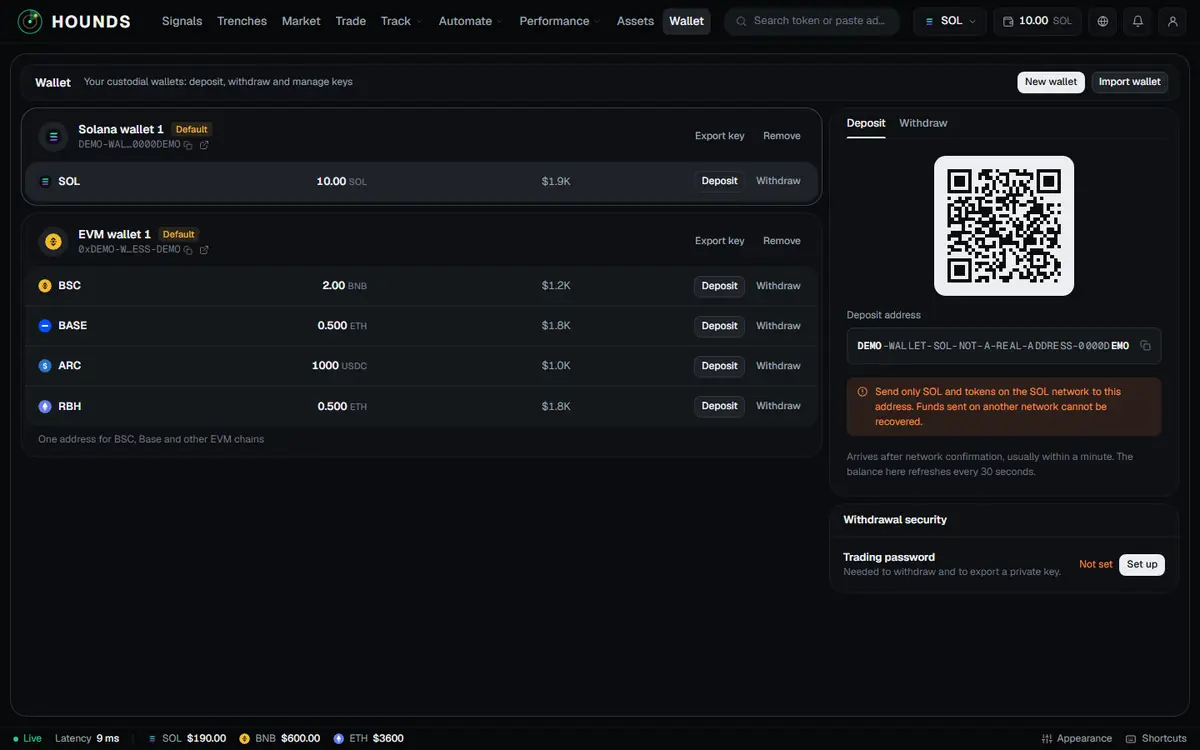
This section covers moving money between your own wallets. Neither needs a password.
9.1 Bridge
Wallet → Bridge in the right column (or the Bridge button on a chain row of a wallet card, or Bridge in the account menu):
- Choose From (source chain) and To (destination chain); you can tap Swap direction. With only an EVM wallet you can bridge between EVM chains; bridging to or from SOL needs both wallet types. The routes listed on the page are the ones available.
- Enter the Amount. The page shows "Balance … · … kept for network fees · minimum …".
- Tap Get quote (it can take up to about 20 seconds). The quote shows You send, Platform fee (1%), Arrives in, Minimum received, Bridge network fee and Estimated time.
- A quote is valid for 55 seconds and the page counts down "Quote valid for n s"; when it expires, tap Get a new quote. When everything looks right, tap Confirm bridge.
- "Submitted: bridging …. It usually arrives within a few minutes, and you get a notification when it does." Recent bridges below shows the status: Submitting / Sent, awaiting arrival / Arrived / Refunded / Failed.
| Source chain | Minimum | Network fee kept on the source chain |
|---|---|---|
| SOL | 0.02 SOL | 0.003 SOL |
| BSC | 0.003 BNB | 0.0005 BNB |
| ARC | 3 USDC | 0.2 USDC |
| RBH | 0.002 ETH | 0.0003 ETH |
The numbers above are as shown on the page. Bridge routes currently connect SOL, BSC, ARC and RBH with each other in every direction (RBH appears when live trading opens on it); Base cannot be bridged for now.
- Money only arrives in your own wallet generated on Hounds on the destination chain. If the destination chain's current default wallet is an imported one, it cannot receive: first make a generated wallet that chain's default (create one if you have none), or use Withdraw instead.
- A wallet that just had its key exported is treated as an external address; try again in 30 minutes.
9.2 Transfer and consolidate (several wallets on one chain, when the page shows "Transfer")
Wallet → Transfer in the right column:
- Choose which wallet to move from and to, enter an amount or pick 25% / 50% / Max, and tap "Transfer … to wallet n". If the sending wallet still holds positions, the network fee for selling them is kept back automatically.
- Consolidate: moves all the native coin from your other wallets on this chain into one wallet, each paying its own network fee. Tap "Consolidate everything into wallet n". For a wallet that holds positions, you are asked to use Transfer instead (it keeps the network fee back automatically) or sell the positions first.
- You can only transfer into wallets generated on Hounds (an imported wallet cannot receive; to send to it, use Withdraw).
- The first transfer between two wallets needs a security registration and a 30-minute wait; after that you can transfer, with nothing else to do.
- Frequency: at most 6 transfers in 10 minutes. Each transfer has a cap; going over shows "The most you can transfer at once is …".
Try it on the workbench while you read.
Open the workbench